

Design Document
Goal of this project is to create a base empty project for everyone to use.
Used technologies
Project is built on these technologies:
- Git
- Source control
- CMake
- Used as build tool
- Doxygen generation
- CTest - for running tests
- Doxygen
- For documentation and API reference generation
- Generates wiki from markdown files
- Custom modern style included
- to try modern style see doc/doxygen/Doxyfile.in line 3
- if you do not care feel free to delete
doc/doxygen/*.htmlanddoc/doxygen/*.ccs
- Graphviz - for creating UML diagrams with doxygen
- clang-format
- Configuration file in the root of project for easy formating
- Clang-format automatically uses nearest *.clang-format* file
- Target format will run format on all source files
- clang-tidy
- With target tidy you can run static code analysis
- cppcheck
- With target cppcheck you can run static code analysis
- Catch
- Modern unit test framework
- Downloaded via externalproject from external/CMakeLists.txt
There is extra support for these:
- .ycm_extra_conf.py for ycmd support
- Smart autocompletion, goto def, etc.
- Works in Vim, Emacs, Sublime Text 3, Atom, Visual Studio Code
- Site: github.com/Valloric/ycmd
- Sublime text 3 project file
- with build system targets
Deployment view
To showcase PlantUML, here is a graph for you:
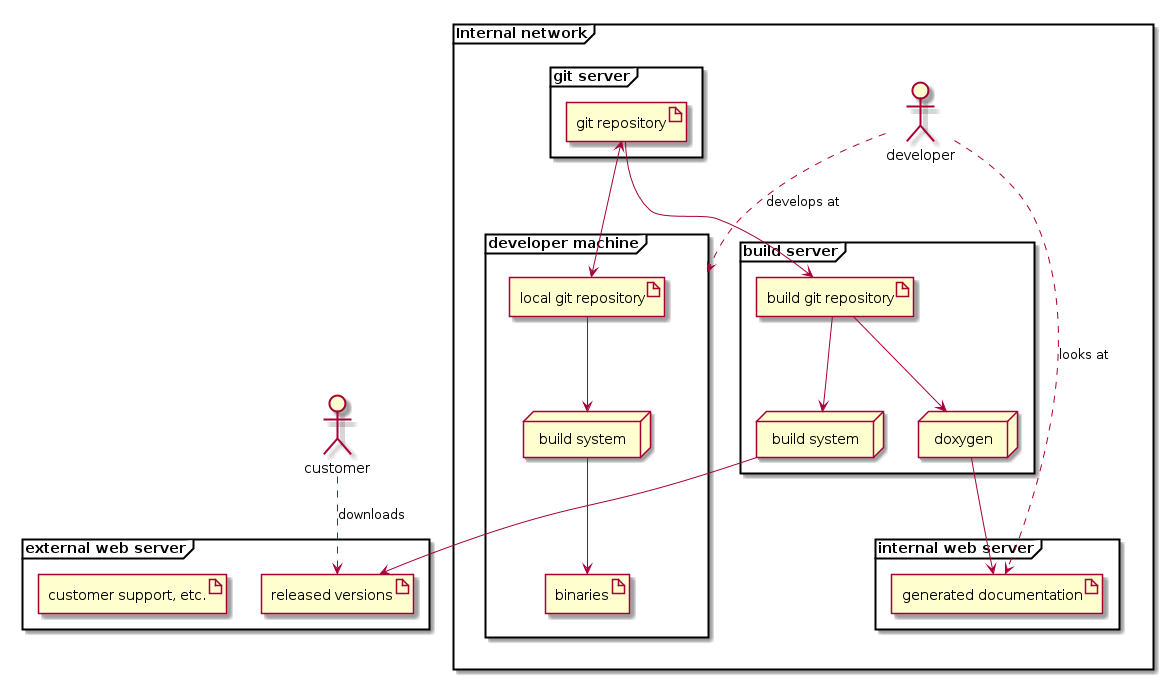
This graph was generated from this:
For more inspiration on what can be done with PlantUML look at their pages plantuml.com, and see main function for example sequence diagram.
Generated by
 1.8.11